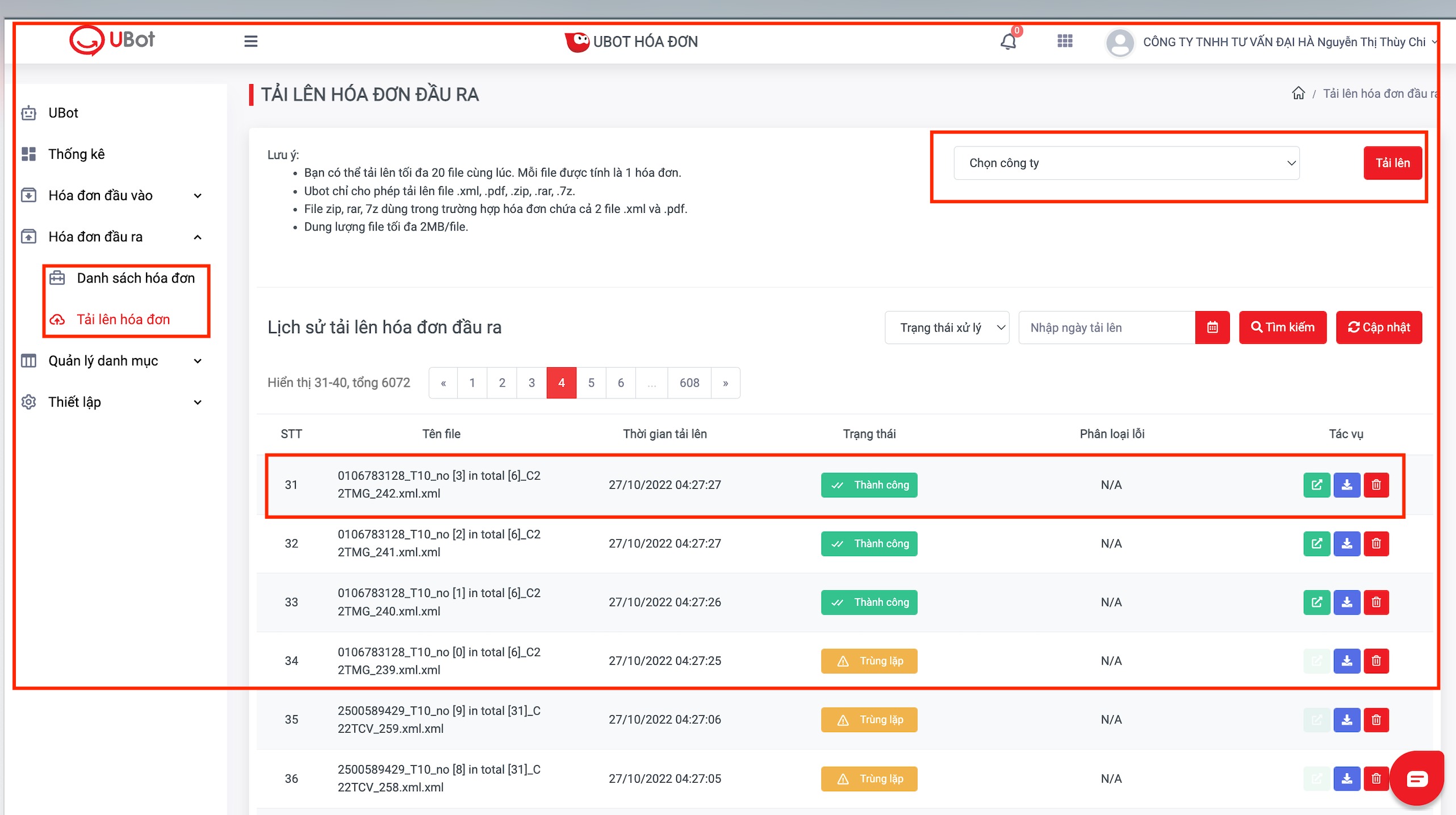
Mục hoá đơn đầu ra >>> Chọn tải lên hoá đơn https://portal.ubot.vn/invoice/my-ubot/output/upload-electronic-invoice.
Bấm chọn file Công ty để tải lên >>> Chọn file hoá đơn PDF hoặc XML (đúng định dạng hoá đơn như Lưu ý bên trái màn hình) >>> Tải lên hoá đơn sẽ báo Thành Công >>> Tác vụ >> tác vụ Nút xanh lá >> Xem chi tiết hoá đơn.
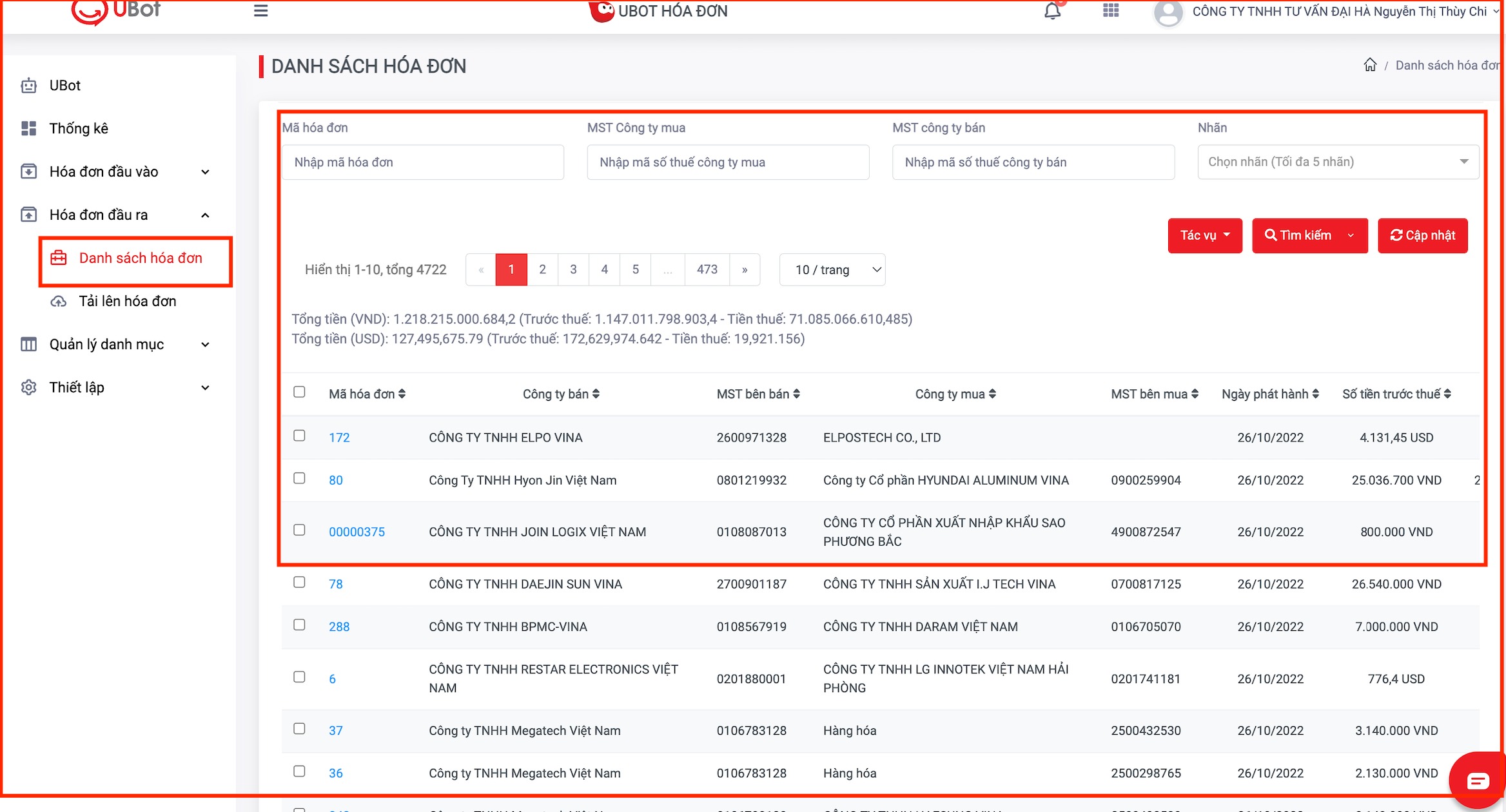
Chi tiết hoá đơn đầu ra đổ vào Danh sách hoá đơn >>> https://portal.ubot.vn/invoice/my-ubot/output/list-invoice.
Was this article helpful?
That’s Great!
Thank you for your feedback
Sorry! We couldn't be helpful
Thank you for your feedback
Feedback sent
We appreciate your effort and will try to fix the article
